Why head to head beats dragging.
Dragging twelve songs around a list means holding all twelve in your head at once. A head-to-head choice only asks about two. You already know which one you like more. Ordinalist just remembers it for you.
Guide
The easiest way to rank an album is to compare its songs two at a time. In Ordinalist, a free app for iPhone, iPad and Mac, you pick an album, choose your favorite from each pair, and it builds the full ranking for you. No dragging. No math. Some regret.
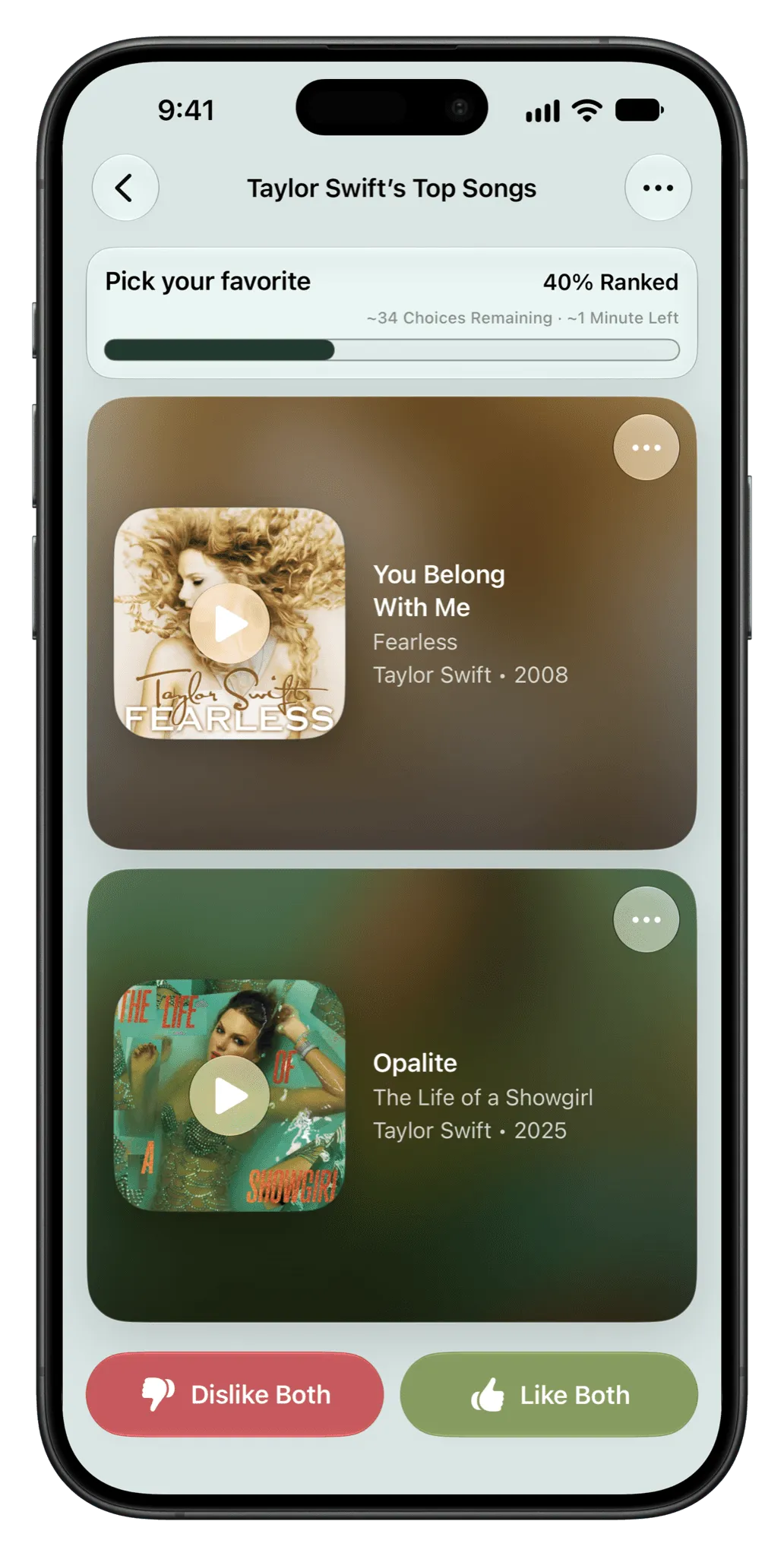
Dragging twelve songs around a list means holding all twelve in your head at once. A head-to-head choice only asks about two. You already know which one you like more. Ordinalist just remembers it for you.
When you finish, Ordinalist shows how many songs you ranked, how long it took, which decisions were instant, and which ones caused a small crisis.
Yes. Ordinalist ranks albums, playlists and an artist’s discography with the same head-to-head choices.
Yes. Ordinalist can sync a finished ranking to an Apple Music playlist, and it plays rankings in order in CarPlay.
No. Ordinalist is free, with no tiers, upsells or subscriptions.
Ordinalist is free on iPhone, iPad and Mac.