

What agents can do
A connected agent works with DevBench through 31 tools. This is what each one does, what you decide, and the slash commands DevBench adds to your agent.
What you allow
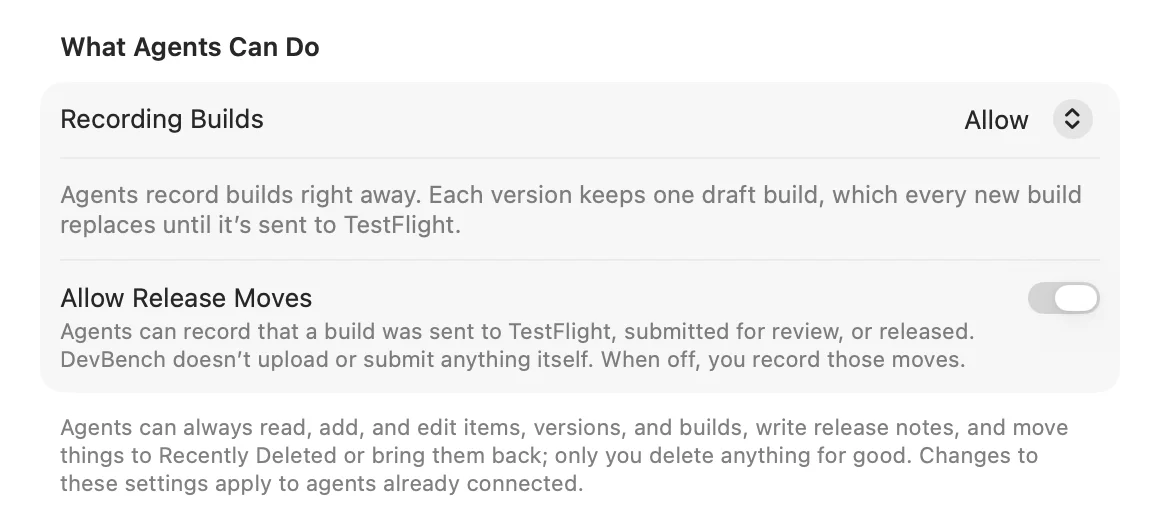
Agents can always read, add and edit items, versions and builds, write release notes, and move things to Recently Deleted or bring them back. You decide the rest under What Agents Can Do in Settings ▸ Coding Agents. Changes apply to agents that are already connected.
- Recording Builds: Allow
- The default. Agents record builds right away. Each version keeps one draft build, which every new build replaces until it’s sent to TestFlight.
- Recording Builds: Ask Each Time
- DevBench shows each build an agent wants to record, with its version, build number and items. Choose Record Build, Don’t Record or Always Allow. No answer within two minutes counts as Don’t Record.
- Recording Builds: Never
- Agents can’t record builds. You record each build yourself.
- Allow Release Moves
- On unless you turn it off. Agents can record that a build was sent to TestFlight, submitted for review or released. DevBench doesn’t upload or submit anything itself. While it’s off, you record those moves.
Each agent’s access
The Agents list shows what each agent may do, and a green dot shows the ones connected now.
- Can make changes
- You set it up in DevBench, or allowed it.
- Can read; asks before changes
- DevBench will ask you before its first change.
- Turned off
- It can’t read or change anything.
Tools for reading
- get_status
- Which library is open, its apps, the current project’s app, whether iCloud sync is on, and what the agent may do.
- list_apps
- Your apps, with their keys, platforms, open items and where each build is. Optionally the rest of App Info.
- list_items
- Finds items by app, status, type, platform, version, priority, date or words. Open items only unless asked.
- get_item
- Everything about one item: notes, checklist, attachments, resolutions, builds and history.
- list_versions
- An app’s versions, with their state, item counts and builds.
- list_builds
- An app’s builds, newest first: where each one is, the items it contains, What to Test, and App Review’s reason for a rejection.
- get_release_pipeline
- The build that’s on your Mac, in TestFlight, in App Review and on the App Store.
- get_release_notes
- A version’s notes, and the items still missing a release note.
- list_recent_changes
- What changed since a date, to catch up on your work or another agent’s.
- show_in_devbench
- Brings DevBench to the front showing an item, an app or a version. Agents use it only when you ask to see something.
Tools for items
- create_item
- Adds a bug, idea, change or task. New items go to the backlog as Not Started.
- update_item
- Changes an item’s title, notes, status, priority, type, platforms, version, branch, release note, checklist or app.
- update_items
- Makes the same change to several items of one app: status, priority, type, version or platforms.
- resolve_item
- Records the cause and the fix, the files changed, the branch and commit, and optionally a new status and a release note.
- add_item_note
- Adds a signed, dated note to the end of an item’s notes.
- add_attachment
- Attaches a screenshot, log or crash report from the app’s linked project folder, or text saved as a file. Up to 25 MB.
- export_items
- Writes an export, with the items’ attachments, into the linked project’s DevBench Exports folder.
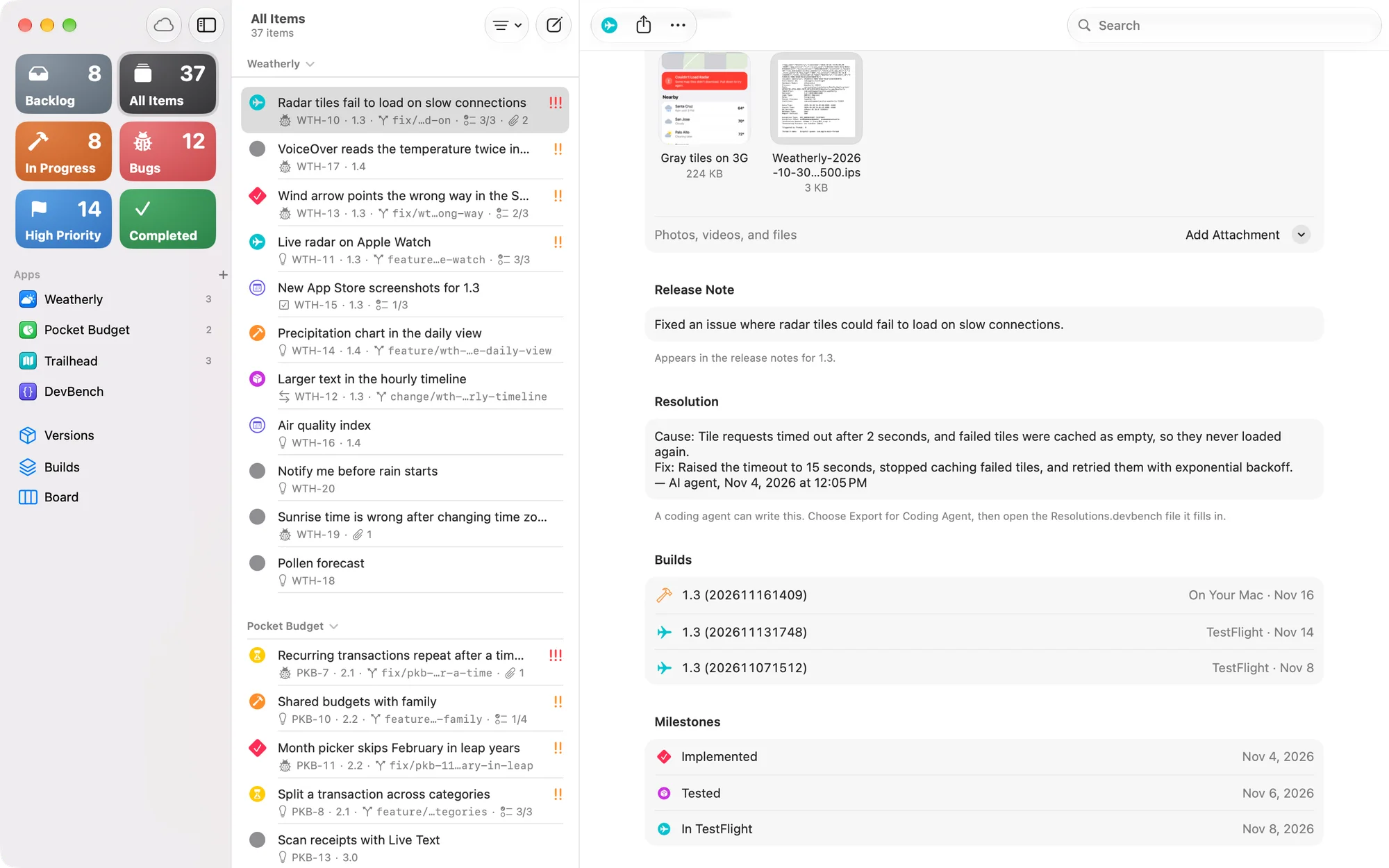
- When an agent says an item is done or fixed, it moves the item to Testing, not Released. Shipping stays with you.
Tools for releases
- create_version
- Adds a planned version.
- update_version
- Changes a version’s name, target date or notes.
- draft_release_notes
- Gives the agent your release notes prompt, the draft and the items, to write from.
- set_release_notes
- Saves a version’s final release notes, within the 4,000-character limit.
- record_build
- Records a build the agent made on this Mac as the version’s draft build. Follows your Recording Builds setting.
- update_build
- Edits DevBench’s record of a build: its What to Test, its notes and the items it contains. It changes nothing in TestFlight or App Store Connect.
- record_release_event
- Records a release move: sent to TestFlight, submitted, approved, rejected, withdrawn, replaced, expired or released. Works while Allow Release Moves is on.
Tools for apps and brand assets
- create_app
- Adds an app, with its App Info.
- update_app
- Changes App Info: name, key, platforms, links, App Store text, templates, notes, custom fields and the submission checklist.
- list_brand_assets
- The files in an app’s Brand Assets library and its folders, such as the icon and screenshots for a README or a website.
- add_brand_asset
- Adds a file from the app’s linked project folder to its Brand Assets library. Up to 25 MB.
Tools for deleting and restoring
- delete
- Moves items, a version, a build, an app, an attachment, a brand asset or a brand folder to Recently Deleted.
- restore
- Brings them back from Recently Deleted.
- list_recently_deleted
- What’s in Recently Deleted, and when DevBench removes each one for good.
- Agents can’t delete anything permanently or empty Recently Deleted. Only you can, in DevBench.
Slash commands
DevBench offers your prompts to the agent as commands, along with five of its own. In Claude Code they start with /mcp__devbench__, followed by the prompt’s name in lowercase with underscores.
- /mcp__devbench__fix_these_issues WTH
- Runs your Fix These Issues prompt on Weatherly’s open items. Add item IDs to pick particular ones. Each of your prompts in Settings ▸ Prompts gets a command like it.
- /mcp__devbench__polish_release_notes WTH 1.3
- Runs a release notes prompt on a version, saves the result and shows it to you.
- /mcp__devbench__triage_bug WTH-12
- Investigates one item without changing code, then sets its priority and adds a checklist and findings.
- /mcp__devbench__whats_next WTH
- What to work on next in an app, most urgent first. Changes nothing.
- /mcp__devbench__prepare_release WTH 1.3
- Checks a version before it ships: what’s ready, what isn’t, the draft release notes and the app’s submission checklist.
- /mcp__devbench__release_summary WTH 1.3
- Summarizes what a version ships.
- /mcp__devbench__log_session
- Records in DevBench what this session fixed, found or left undone: resolutions, notes and new items.
- Left out, the app defaults to the current project’s app, and the version to the one in development.
How agents refer to things
- Items by ID, such as WTH-12. IDs an item used to have work too.
- Apps by key (WTH), name or bundle ID. In a linked project, the app is assumed.
- Versions by number, or “next” and “backlog”.
Guardrails
- What an agent deletes goes to Recently Deleted, where you can recover it. Only you delete anything for good.
- Items, versions and builds that are released or in App Review are locked as history. An agent has to be asked specifically to change one.
- Everything an agent changes is signed with its name in the item’s Activity, such as “Added by Claude Code” or “Claude Code changed status”.
- DevBench never uploads, submits or releases anything, so agents record only moves that happened. Recording a release takes an extra confirmation.
- An agent you turn off gets nothing: it can’t read or change your library.